Your 4K Badge Is Lying: How to Tell a Real Ultra HD Stream From an Upscaled Imposter
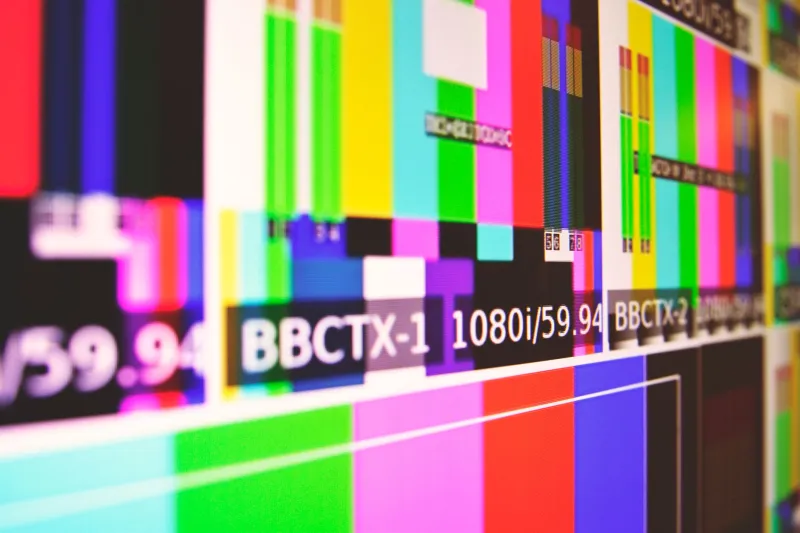
The word '4K' is the cheapest thing in streaming. It costs a provider absolutely nothing to type it next to a channel name, and it costs you an evening of squinting at a picture that looks suspiciously like the satellite feed you cancelled in 2012.
Genuine Ultra HD is a chain of expensive decisions: the camera, the source master, the encoder, the bitrate, the codec, the HDR grade and the delivery network. Break any link and the badge on your screen stays the same while the picture quietly falls apart.
A bigger grid is not a better picture
4K means 3,840 by 2,160 pixels — roughly 8.3 million of them, four times the count of 1080p. That is a container size, not a quality guarantee. You can pour a pint into a gallon jug and you still only have a pint.
Two things decide what actually fills that container: how many bits per second the encoder is allowed, and how good the source material was in the first place. Nobody advertises either number.
Bitrate: the figure missing from every sales page
A respectable 4K stream from a mainstream UK service needs somewhere in the high teens to mid-twenties of megabits per second. Netflix's 4K tier lands around 15 Mbps using modern codecs; the BBC's UHD work on iPlayer sits in a similar band. Those are mature, heavily optimised pipelines that have been tuned for a decade.
Now picture a '4K' channel arriving at 5 Mbps. The encoder is discarding three-quarters of what it needs and inventing the rest. You see the invention as mushy grass, waxy faces, and a stadium crowd that resolves into a bowl of rice.
Live sport is the stress test. A static interview survives beautifully at 6 Mbps. A panning shot across a floodlit pitch at 6 Mbps does not, and neither does a slow camera move over a dark, smoky interior.
The codec is a confession
If a '4K' feed is encoded in H.264, treat that as a flag on the play. No large-scale legitimate 4K service runs H.264 in 2026 — the bandwidth bill would be absurd. HEVC (H.265) is the working baseline; AV1 is the newer efficiency win that most mid-range TVs and boxes now decode in hardware.
There is a telling detail here. Providers who stick to older codecs are often working around the cheapest hardware their customers own. That tells you something about how the rest of the operation is built.
HDR: the easiest thing in the world to fake
The UK's HDR landscape is HLG on the BBC side, with HDR10, HDR10+ and Dolby Vision elsewhere. A stream can carry an HDR flag on top of an SDR picture, and your telly will cheerfully salute it. Equally, plenty of TVs have a punchy 'dynamic' picture mode that mimics the look of HDR by cranking contrast until shadows become a black rectangle.
The honest test is a dark scene — a cellar, a night exterior, a dim pub. Real high dynamic range keeps texture in the shadows and gives highlights, like a window or a floodlight, genuine bite without turning them into a white blob. Fake HDR shows you banding: visible rings in what should be smooth gradients, and blocky patches in the dark. Then press the info button. The banner should name the format. If your panel reports SDR while the app claims otherwise, you have your answer.
Upscales in costume
Plenty of '4K' feeds are 1080p resized, or worse, SD stretched. Here is a quick tell: if a service carries both an HD and a 4K version of the same channel, flick between them on a decent-sized screen at normal viewing distance. If you genuinely cannot see a difference in fine detail, one of those two feeds is doing no work at all.
Five tests you can run tonight
- The grass test. Pause on a wide shot with fine texture — turf, gravel, a crowd, a bookshelf. Real 4K holds the detail when frozen. Upscales turn to mush.
- The dark room test. Find the dimmest scene you can. Look for banding and blocking in the shadows.
- The pan test. Watch a slow camera pan across a detailed background. Smearing and juddering blocks mean the bitrate is starving.
- The diagnostics test. Press the info button on your TV, or use the stats overlay on your streaming box. If you have neither, watch your router's throughput: megabits per second divided by simultaneous streams gives you a rough per-stream figure. Compare it to what you were promised.
- The audio clue. A genuine 4K feed almost always arrives with 5.1 surround or better. Stereo-only on a premium channel is a hint about how thin the rest of the package is.
The arithmetic nobody wants to discuss
If an honest 4K feed needs roughly 20 Mbps and a provider claims thousands of Ultra HD channels to thousands of customers at peak, the maths gets rude quickly. That is not an accusation — it is a capacity question, and it is the first thing worth asking before you hand over any money.
Two questions, sent in a message before you subscribe: what bitrate does your 4K feed average at 8pm on a Saturday, and is it native or upscaled, and which HDR format do you deliver? A provider who knows their product answers in a sentence. A provider who does not will send you a paragraph about 'premium servers'.
Before you blame the stream, check your own chain
A fair share of disappointing 4K is self-inflicted. Use a certified High Speed HDMI cable — 18 Gbps for 4K at 60Hz with HDR — because the thin cable from the drawer will silently drop you to a lower mode. Turn off motion smoothing and use Filmmaker mode so you are judging the stream and not your telly's imagination. And get off Wi-Fi if you can: 5GHz at minimum, Ethernet if the router is more than one room away. Peak-hour congestion on a busy street cabinet can make a good feed look like a bad one.
The label is free. The picture never is.