The Handset Has a Vote: A Remote-Control Reality Check for UK Streaming Boxes

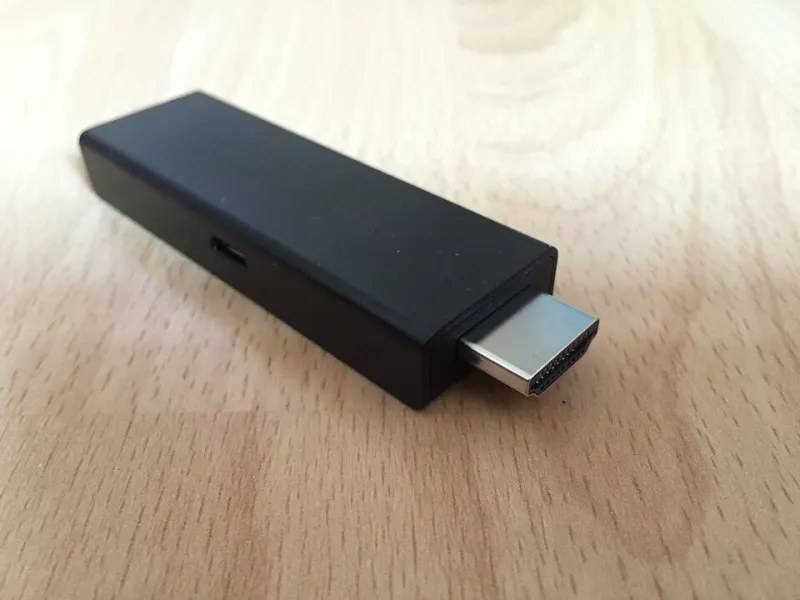
Photo: GarciaMGGarcia, CC BY-SA 4.0, via Wikimedia Commons
Most IPTV box reviews read like a spec sheet. Hundreds of channels, 4K this, 8K that, a processor name that sounds like a weather forecast. Then you get the thing home and discover the remote is a slippery slab of membrane keys that needs three clicks to pause, two remotes to change volume and a prayer to launch BBC iPlayer.
The handset has a vote. So does the home screen, the voice search and the way HDMI-CEC behaves with your telly. This is a buying guide for the part of the box you actually touch, not the part on the marketing poster.
The remote is the product
You will pick up the remote dozens of times a night. You will not pick up the box. If the remote is horrible, the box is horrible, even if the picture is pristine. A good remote has clear buttons, a sensible layout, a responsive click and a way to find the important stuff without looking down.
UK viewing is not one app. It is iPlayer for the drama everyone at work is talking about, ITVX for a crime series, Channel 4 for something chaotic, My5 for a documentary, Netflix for a film, Prime Video for the thing you forgot was included, and maybe Now or Sky for sport. A remote that cannot get you into those apps quickly is a remote that will annoy you by Wednesday.
The five-minute lounge test
Do this in the shop if you can, or in the first ten minutes at home while the packaging is still intact.
Sit where you normally sit. Turn the telly on. Launch BBC iPlayer. Pause. Rewind ten seconds. Turn the volume down. Go back to the home screen. Launch ITVX. Find something to continue watching. Turn on subtitles. Now do it again in the dark, without looking at the remote.
Count the clicks. Count the wrong buttons. Count the times you have to pick up the TV remote as well. That is the real user experience, and no channel list can fix it.
HDMI-CEC: one remote or three?
HDMI-CEC is supposed to let one remote control the TV, the soundbar and the streaming box. In practice it is a loose standard, and Sony, LG, Samsung, Panasonic and Hisense all implement it differently. A box that behaves beautifully on one telly can be a nightmare on another.
What good looks like: pressing the box remote's power button wakes the TV and the box. Volume buttons control the TV or soundbar. The TV switches to the correct HDMI input when the box wakes. The box does not randomly switch inputs at midnight.
What bad looks like: two remotes for volume, a box that turns the TV off but not on, or a CEC setting that fights the soundbar every time you pause. If the box has a CEC toggle, test it. If it does not, assume you may need a universal remote or a separate learning remote.
Voice search has to know BBC iPlayer
Voice search is brilliant when it works and useless when it is locked inside one app. Ask the remote to find a specific show, not a genre. Ask it to launch BBC iPlayer. Ask it to find something on ITVX. Ask it to search for a film that is on Prime Video. Ask it again with the telly volume up, because that is how you will actually use it.
A good voice search understands UK app names, finds shows across services and launches the right app. A bad one hears 'BBC One' and opens a web search, or only searches the box's own catalogue. Far-field microphones are nice, but a push-to-talk button on the remote is perfectly fine if it is responsive and accurate.
Look for a dedicated microphone button, not a hidden menu. Check whether the remote needs line of sight. Bluetooth is better for a box tucked behind the TV; IR is fine if the box is visible. If the remote is IR-only and the box is hidden, you will be waving it around like a lightsaber.
App navigation is the daily commute
How many clicks from standby to iPlayer? How many to continue watching? Can you pin apps to the home screen? Does the home screen push rented films you will never watch? Does the back button go back one level, or kick you to the home screen like a bouncer? Does each app remember your profile, or does it ask you to choose a user every single time?
UK-specific apps matter. BBC iPlayer, ITVX, Channel 4, My5, Netflix, Prime Video and YouTube are the basics. If the box is aimed at sport, check the app for the service you actually use. If it is aimed at catch-up, check that the apps are current and not a frozen version from three years ago. App updates matter more than a long channel list.
A 100-point scoring sheet
Use this before you buy, or before you decide to keep a box you are testing.
| Test | Points | What good looks like |
|---|---|---|
| Handset feel and layout | 20 | Clear buttons, comfortable shape, responsive click, easy to use in the dark |
| Important buttons | 15 | Home, back, pause, volume, mute, subtitles and a microphone button |
| HDMI-CEC behaviour | 20 | One remote wakes TV and box, controls volume and switches input reliably |
| Voice search | 15 | Finds UK shows and launches iPlayer, ITVX, Channel 4 and My5 |
| App navigation | 20 | Few clicks to the main apps, pinning, sensible back behaviour and no ad clutter |
| Accessibility and night viewing | 10 | Backlit or glow-in-the-dark keys, subtitle shortcut, audio description support |
Score 85 or more: keep it or buy it. Score 70 to 84: usable, but you will grumble. Score 50 to 69: annoying enough to matter. Under 50: look elsewhere unless the box is practically free and you have a universal remote in the drawer.
Red flags to note before you commit
- Membrane keys that feel like pressing a damp biscuit.
- No dedicated subtitle or audio-track button.
- Voice search that only searches one app.
- No CEC control over volume or input switching.
- A home screen full of ads you cannot remove or reorder.
- No way to pin or reorder apps.
- A remote that needs direct line of sight while the box is hidden behind the TV.
- A box that has no firmware update path or a support page that has not changed since the last general election.
Before you buy, or before you keep
Test the remote in the return window. Update the firmware. Try it with your actual TV, not the shop's display model. If you have a soundbar, test the volume and power behaviour properly. Check that the apps you pay for are available and current. A streaming box is a small computer with a handset attached; the handset is the part you will judge it by every night.
Channel numbers are easy. A remote that gets you to the right app in two clicks is the real luxury.