Your Cloud Recording Might Just Be a Bookmark: A UK Cloud DVR Reality Check

There is a particular kind of disappointment that comes from settling into the sofa, tea in hand, ready to watch the thing you recorded last night, only to find the thing is not there. No error message. No explanation. Just an empty slot where the match, the documentary or the latest episode of whatever you have been hooked on used to be. If you have used a cloud DVR feature on an IPTV service, there is a decent chance you have met this feeling. The cloud is brilliant marketing. It is also somebody else's server with somebody else's rules.
The cloud is just a server with a landlord
When a service says it offers cloud DVR, it usually means your recording sits on a machine in a data centre rather than on a hard drive under your telly. That is genuinely handy: no box to buy, no disk to fill, and you can often start watching on one device and finish on another. But the word cloud hides the important bit. Storage is finite. Retention is a policy. Rights deals expire. Your recording is a guest on someone else's property, and the landlord can change the terms whenever they like.
In the UK, we are used to the old way: a Freeview or Sky box with a hard drive, where a recording stays until you delete it or the disk dies. Cloud DVR is not that. It is closer to a streaming library with an expiry date, and the expiry date is often buried in a support page you will only read after something has gone missing.
Three things a recording can actually mean
Most cloud DVR claims fall into one of three buckets, and the differences matter more than the marketing suggests.
The first is a genuine copy. The service stores an actual file of the broadcast, tied to your account. It has a storage allowance, a retention window and usually a limit on how many things you can record at once. This is the closest thing to the old hard-drive experience, and it is the least common on cheaper IPTV packages.
The second is a bookmark. You press record, and the service simply adds the programme to your list, then points you at an on-demand or catch-up version when you press play. It feels identical until the on-demand rights change, the episode is pulled, or the programme never had a catch-up copy in the first place. Then your recording evaporates without warning.
The third is a hybrid: a short-term real recording that expires after a set number of days, after which the service quietly swaps in a bookmark or removes the item altogether. This is the most common setup, and it is the one that catches people out because it works perfectly during the first week.
Signs you are looking at a bookmark, not a copy
You do not need access to the server room to work this out. A few clues give the game away.
- The recording is available instantly, even for a channel that was showing something five minutes ago.
- Your storage counter does not move when you record something.
- You cannot skip adverts, or the ad breaks look different from the live broadcast.
- The recording appears in a catch-up or on-demand section rather than a dedicated recordings area.
- The picture quality matches the on-demand stream rather than the live channel.
- It expires on a suspiciously round number of days, often 7, 30 or 90.
None of these are automatically bad. A bookmark can be perfectly useful if the on-demand catalogue is solid. The problem is being sold one thing and given another, especially when you are paying for the privilege.
The questions worth asking before you pay
A good IPTV service will answer these without getting defensive. A poor one will point you at a vague FAQ and hope you go away. Ask before you hand over card details, and get the answers in writing if you can.
- How many hours of recording do I get, and is that per stream or per account?
- How long does a recording stay available, and does that clock start when I record it or when it finishes?
- What happens when the retention window ends: is it deleted, or does it turn into a catch-up link?
- Can I record a whole series automatically, and does it keep recording after the first episode?
- How many programmes can I record at the same time?
- Can I watch recordings on a second device, and does that device need to be on the same home broadband?
- Can I download a recording for offline viewing on a phone or tablet?
- Do recordings count against a separate storage allowance, or are they unlimited until they expire?
- Can I skip adverts on a recording?
- What happens to my recordings if I cancel, downgrade or pause my subscription?
If the answers are fuzzy, assume the least generous version. That is usually the one you will get.
The fourteen-day test that exposes most of it
Do not pay annually before you have done this. Sign up for the shortest trial or monthly plan you can find, then run a small experiment.
On day one, record something from a live channel, ideally a programme that is not likely to be in the on-demand catalogue, such as a regional news bulletin or a minor sporting event. Record a series link as well. Note the exact time and date.
On day two, check that both recordings play. Try skipping adverts. Try watching on a second device. Try downloading one to your phone. Look at the storage counter and see whether it has moved.
On day seven, check again. On day fourteen, check once more. If the recording has vanished, you have your answer. If it has turned into a link to a catch-up player, you have a different answer. Either way, you now know what the service actually does rather than what the sales page says.
Device lock-in and the record-once-watch-anywhere myth
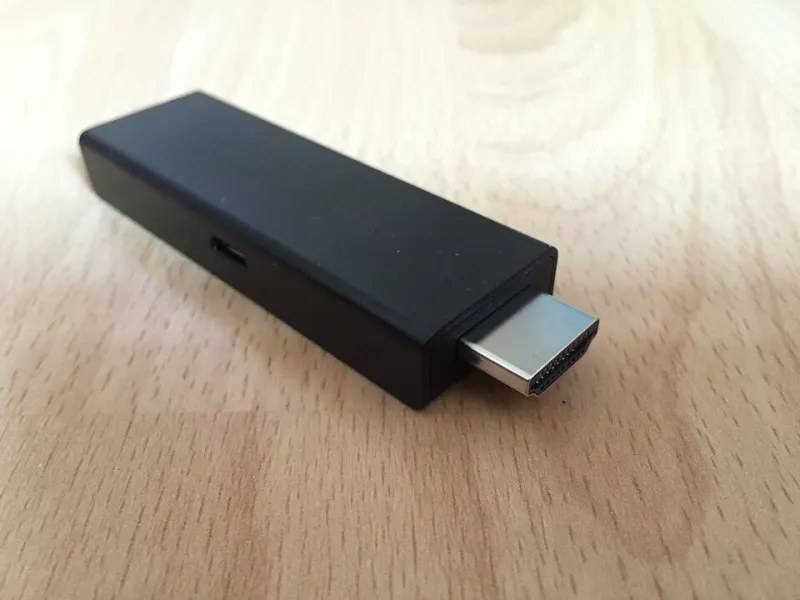
Cloud DVR is often sold as freedom, but the freedom is usually conditional. Some services let you record on a Smart TV app and watch on a phone, while others tie playback to a single device or a single home network. A few block casting entirely. This matters in UK homes where the main telly is in the living room, the good tablet is in the kitchen and somebody else is always hogging the Fire Stick.
Ask specifically whether recordings are available outside the home, and whether the service treats a mobile connection differently from your home broadband. If the answer involves the phrase 'for security reasons', assume a restriction.
When a recording disappears, read the tea leaves
The most common reasons are rights changes, retention windows, capacity limits and account tier changes. A programme that was available last week can be pulled because the rights holder changed their mind, and no amount of complaining will bring it back. Capacity limits are sneakier: some services silently delete the oldest recording when you hit a ceiling, so your new recording works and your old one quietly dies.
If something vanishes, check the retention policy first, then your storage usage, then your subscription tier. If none of those explain it, contact support and ask for the specific reason. A good provider will tell you. A bad one will blame your broadband.
The bottom line
Cloud DVR is a convenience, not a guarantee. Treat it like a streaming extra rather than a replacement for a hard-drive box, and test it properly before you commit to a long contract. Record the awkward stuff, wait a fortnight, and see what survives. If the service passes that test, you have found something decent. If it does not, you have saved yourself a year of arguing with a support chat.