The Smoothing Hangover: Why Your Telly Makes Football Look Like a Repeat Drama
Photo: Infrogmation of New Orleans, CC BY 2.0, via Wikimedia Commons
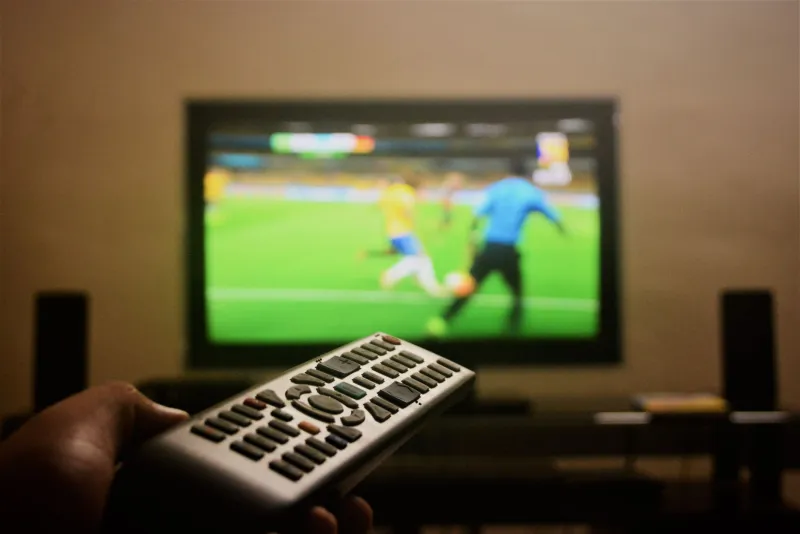
Football should look like football. A ball, a crowd, a clock, and the vague sense that something might happen in the next ten minutes. But if your telly has been quietly set to make everything smooth, a Saturday afternoon stream can end up looking like a costume drama shot through a buttered window. The ball leaves a vapour trail. Crowd pans wobble. A goalmouth scramble turns into a smear. And the setting responsible is often switched on by default under a cheerful name like Motion Plus, TruMotion or Smooth Picture.
This is not an argument for turning every picture setting off and watching in some purist grey soup. It is a practical check. UK IPTV football is a useful stress test because it combines fast movement, fine grass detail, crowd patterns and a score graphic that should stay readable. If your motion settings are wrong, football exposes them faster than almost anything else.
First, know what the telly is trying to do
Most modern TVs use motion interpolation. The set looks at two frames, guesses what happened in between, and creates extra frames to make movement look smoother. Done gently, it can reduce blur on sport. Done aggressively, it invents things that were never there. Players get ghostly edges. The ball seems to bend. The crowd turns into a moving tapestry of guesswork.
That is why a match can look weirdly smooth and strangely worse at the same time. The telly is not showing you more information. It is showing you its opinion about the information.
Game Mode is a related but different thing. It usually strips out processing to reduce input lag, which is great for controllers and less great for a drama where you want the picture to look its best. If you have a console and a streaming stick sharing one HDMI port, you may be leaving Game Mode on for everything. That is one of the first things to check.
The football test: watch the ball, then the crowd
Find a match with a decent amount of panning. A Cup tie, a league game, a highlights package on a streaming app, it does not matter. What matters is that the camera moves. Watch for a few minutes with the current settings, then open your TV's picture menu and find the motion section. The exact name varies: Picture Clarity, Motionflow, Intelligent Frame Creation, Motion Rate, and so on.
Turn the smoothing down or off. Do not change anything else yet. Go back to the match. Watch the ball during a long pass. Watch the crowd when the camera sweeps from one end to the other. Watch the score graphic at the top of the screen. If the graphic shimmers or the crowd smears, the telly is working too hard.
A good result is not necessarily the smoothest result. A good result is one where the ball looks like a ball and the players do not look like they have been outlined in soft cheese.
The credits test: films need a different kind of calm
Football is only half the job. Plenty of UK viewers watch a match on Saturday and a film on Sunday, often through the same stick or app. Film credits are a brilliant motion test because they scroll slowly and predictably. If the letters shiver, crawl or look oddly sharp one moment and soft the next, the smoothing is interfering.
Try a film you know well, ideally one with opening credits over a dark background. Look at the edges of the letters as they move. Then switch to Filmmaker Mode if your TV has it, or a Cinema preset. You may notice a little judder in slow pans. That is often the trade-off. Films are usually made at 24 frames per second, and some TVs would rather invent frames than let you see that cadence. For many people, a touch of judder is preferable to credits that look like they are being dragged through a fax machine.
The news ticker test: the quiet giveaway
A rolling news channel is the least glamorous test and one of the most useful. Find a channel with a horizontal ticker along the bottom. Watch it for thirty seconds. With heavy motion processing, the text can blur, stutter or appear to lag behind itself. With the processing off, it may look slightly less fluid but more stable.
This matters for IPTV because a stream can already have its own frame-rate quirks. UK broadcasts often sit around 50Hz, while some streaming apps deliver 25fps or other rates. Your TV is trying to reconcile all of that in real time. The fewer unnecessary tricks it is performing, the less there is to go wrong.
Setting up a sensible compromise
Start with a simple plan. Use Game Mode for consoles, not for football. Use Filmmaker Mode or Cinema for films and drama. For sport, try the TV's Standard or Sports preset as a starting point, then reduce motion smoothing to low or off. If your TV lets you adjust blur reduction and judder reduction separately, bring judder reduction down first. If there is a clear-motion or black-frame-insertion option, be careful: it can sharpen movement but also introduce flicker and dim the picture.
Check whether your settings are per input or global. Many TVs apply picture modes per HDMI input, which is handy if your streaming stick lives on HDMI 1 and your console on HDMI 2. Some apps also remember their own picture mode, while others inherit whatever the input is doing. Make a note of what you changed. There is nothing worse than fixing football and accidentally making BBC iPlayer look like a shop display.
Finally, live with it for a week. Watch a match, a film and a news bulletin. If the football looks clear and the credits do not shimmer, you have probably landed in the right place. The best motion setting is the one you stop noticing. Everything else is just the telly showing off.