Why Your Soundbar Makes Live Telly Sound Like a Dubbed Film
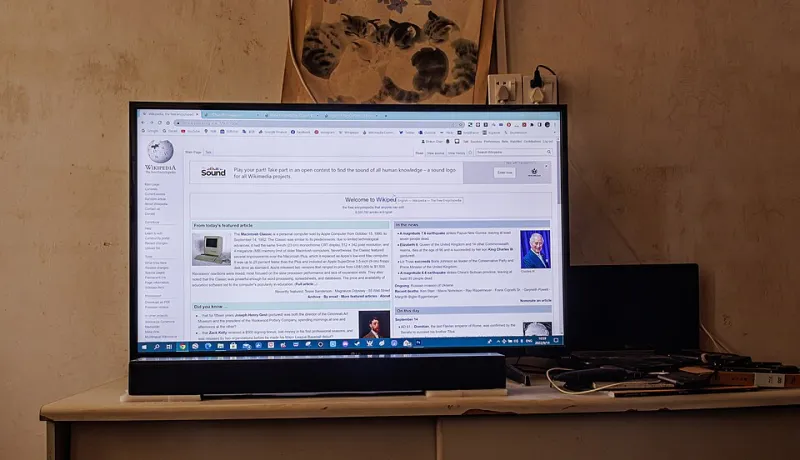
Photo: Dinkun Chen, CC BY-SA 4.0, via Wikimedia Commons
You sit down for the Saturday lunchtime kick-off, or maybe the six o’clock news, and something feels wrong. The presenter’s mouth moves, then the words arrive a heartbeat later. It is not quite a foreign film dub, but it is close enough to be annoying. Most people immediately blame the stream, the box, or the broadband. In plenty of UK living rooms, though, the culprit is the last leg of the chain: the soundbar or AV receiver sitting between the streaming box and the telly.
It Is Usually the Last Leg, Not the Stream
A live IPTV stream has enough ways to go wrong without inventing new ones. But audio delay that is constant, subtle, and present across different channels usually points to processing rather than network trouble. Your streaming box decodes the picture and sound, sends them down an HDMI cable, and then the TV or soundbar does its own bit of housekeeping. That housekeeping can include surround processing, dialogue enhancement, night mode, and a handshake between devices that decides which audio format to use.
Live telly is less forgiving than a film. A drama can absorb a few dozen milliseconds of lip-sync error because nobody is staring at a newsreader’s teeth. Football commentary is worse: the crowd noise, the referee’s whistle, and the commentator’s reaction all arrive at slightly different moments. Once you notice it, you cannot un-notice it.
ARC, eARC and the Handshake Nobody Watches
If your soundbar is connected over HDMI ARC or eARC, audio is travelling from the TV back down the same cable to the soundbar. That is convenient, but it relies on a negotiation between devices. The TV says it can send a particular format; the soundbar says what it can accept; the streaming box may have its own opinion. When that handshake settles into an unexpected mode, you can end up with extra processing, missing channels, or a delay that was not there yesterday.
eARC is the more capable version, with more bandwidth for formats such as Dolby Atmos. ARC is older and more limited. Neither is automatically better for lip sync, though. A simple ARC connection with the right settings can sound perfectly tidy, while an eARC chain can still introduce delay if the TV is doing extra audio processing before passing it on.
PCM vs Bitstream: Where the Delay Sneaks In
This is the setting most viewers never touch. PCM means the audio has already been decoded into uncompressed channels before it reaches the soundbar. Bitstream means the compressed audio format is passed along for the soundbar or receiver to decode. Bitstream can give you better surround formats, but it also hands more work to the soundbar. On some models, that work adds a small delay.
There is no universal winner. If your soundbar is older, or if you are using a basic ARC connection, switching the streaming box or TV to PCM can sometimes tighten lip sync. If you have a modern eARC soundbar and a surround set-up, bitstream may be the better choice for sound quality. The trick is to test both rather than assuming the more impressive-looking option is correct.
The Clap Test You Can Do in Two Minutes
You do not need calibration gear. Find a live or recorded clip with a sharp, single sound: a studio clap, a presenter tapping a desk, or a football referee’s whistle. Sit roughly where you normally watch. Open your phone’s slow-motion camera and record the TV screen and the soundbar together in one frame. Play the clip and capture the moment.
Scrub through the recording. At 240 frames per second, each frame is about four milliseconds. Count how many frames sit between the visual action and the sound arriving. If the audio lands more than a couple of frames late, you have a measurable delay. If it is wildly out, say half a second or more, you are probably dealing with a processing mode or a handshake problem rather than a tiny sync error.
A cruder version works too: watch a news presenter’s lips on a close-up and clap along with a sharp consonant. If your clap feels late compared with the picture, the room is telling you something.
The Fix List: Start Cheap, End With Firmware
Work through these in order. Change one thing at a time, then re-run the clap test.
- Find the TV’s lip-sync or audio-delay slider. Most TVs bury it in the sound settings. Nudge it in small steps rather than dragging it across the screen.
- Check the soundbar or AV receiver for its own sync setting. Some have a dedicated lip-sync control; others hide it under audio processing.
- Try PCM and bitstream in turn. Note which sounds better and which lines up better. They are not always the same answer.
- Bypass the soundbar for a minute. Connect the streaming box directly to the TV and use the TV speakers. If the delay vanishes, the soundbar chain is the problem.
- Inspect the HDMI ports. Use the eARC or ARC port as labelled, and avoid cheap cables that may not handle the format you are asking for.
- Turn off extra processing temporarily. Night mode, virtual surround, dialogue enhancer, and auto-volume can all add a little lag. Switch them off, test, then reintroduce them one by one.
- Update firmware on the TV, soundbar, and streaming box. Audio handshakes are exactly the sort of thing manufacturers patch quietly.
- Reboot the chain in order. Turn everything off at the wall, then power up the TV first, then the soundbar, then the streaming box. It sounds daft, but it resets the handshake.
When It Is Not the Soundbar
If the delay only affects one channel, or if audio drops out entirely, look at the stream and the box as well. A live IPTV feed can carry its own encoder delay, and some services handle audio differently from their catch-up versions. Try the same programme on demand. If the on-demand version is in sync and the live version is not, you are probably looking at the broadcaster or service chain rather than your living room.
The Takeaway
Do not adjust by feel alone. Measure the delay, change one setting, and measure again. In most UK homes, a small lip-sync adjustment or a switch between PCM and bitstream is enough to stop live telly sounding like a badly dubbed film. If nothing works, note down what you tried before you buy a new soundbar. The problem may be a cable, a port, or a setting you have not found yet.